
YouTube automation is the business model where you run YouTube channels without appearing in them — and increasingly, without manually producing them. You own the channel like an asset; the content is made by a system. Done right, it's a real business with real margins. Done the way some course-sellers pitch it, it's an expensive way to learn what doesn't work.
This guide covers the whole picture: what YouTube automation actually means, the economics, the workflow, the risks, and how to start one properly.
What is YouTube automation?
The term covers two different things, and the difference matters:
- The business model (the real meaning): faceless channels where production is systemized — scripts, voiceover, visuals, and editing are handled by tools or freelancers rather than an on-camera creator. You act as the operator: picking niches, setting strategy, and publishing.
- The fantasy version (the course-seller meaning): "passive income on autopilot, 2 hours a week, guaranteed." This version doesn't exist. Every profitable automation channel has an operator making real decisions.
A YouTube automation channel is just a faceless YouTube channel with a production system behind it. The model became dramatically more viable when AI replaced the freelancer stack — more on that below.
The economics: what the numbers really look like
Costs, the old way (freelancer stack):
| Role | Cost per video |
|---|---|
| Scriptwriter | $30–80 |
| Voiceover artist | $30–100 |
| Video editor | $50–150 |
| Thumbnail designer | $10–30 |
| Total | $120–360 per video |
At 3 videos a week, that's $1,400–4,300/month in costs before a single dollar of revenue — which typically takes 3–6 months to arrive. This cost structure is why most automation channels historically died: operators ran out of money before monetization.
Costs, the AI way: the same pipeline (script → voiceover → visuals → captions → editing) runs as one generation flow for roughly $1.50–3 per video on a tool subscription. The break-even point moved from "month 6 if you're lucky" to "your first viral video."
Revenue: ad RPM ranges from $2 (entertainment Shorts) to $20+ (finance long-form). A mid-niche channel at 1M monthly views earns roughly $4,000–8,000/month from ads, with affiliates and sponsorships often matching that. Realistic earnings for a working operator's first year: $0 for months 1–4, then a climb.
For a detailed look at what faceless channels actually earn at different view counts and niches, see how much YouTube pays per 1,000 views.
The 5-step workflow
Step 1: Niche selection
This is the highest-leverage decision you make. A mediocre video in a high-demand niche outperforms a great video in a saturated or low-CPM one.
Use data, not intuition. The signals you want:
- High CPM. Finance, software, business, and health niches pay $8–20+ RPM. Entertainment pays $2–5. Top faceless niches ranked by CPM gives the full breakdown.
- Existing proof. There should already be faceless channels getting views in your niche. If there are none, the niche is either untapped or unviable — and untapped is rare.
- Viral outliers. Look for channels with modest subscriber counts but individual videos with 10x–100x their average views. That gap is a signal the topic has demand the channel hasn't fully captured yet.
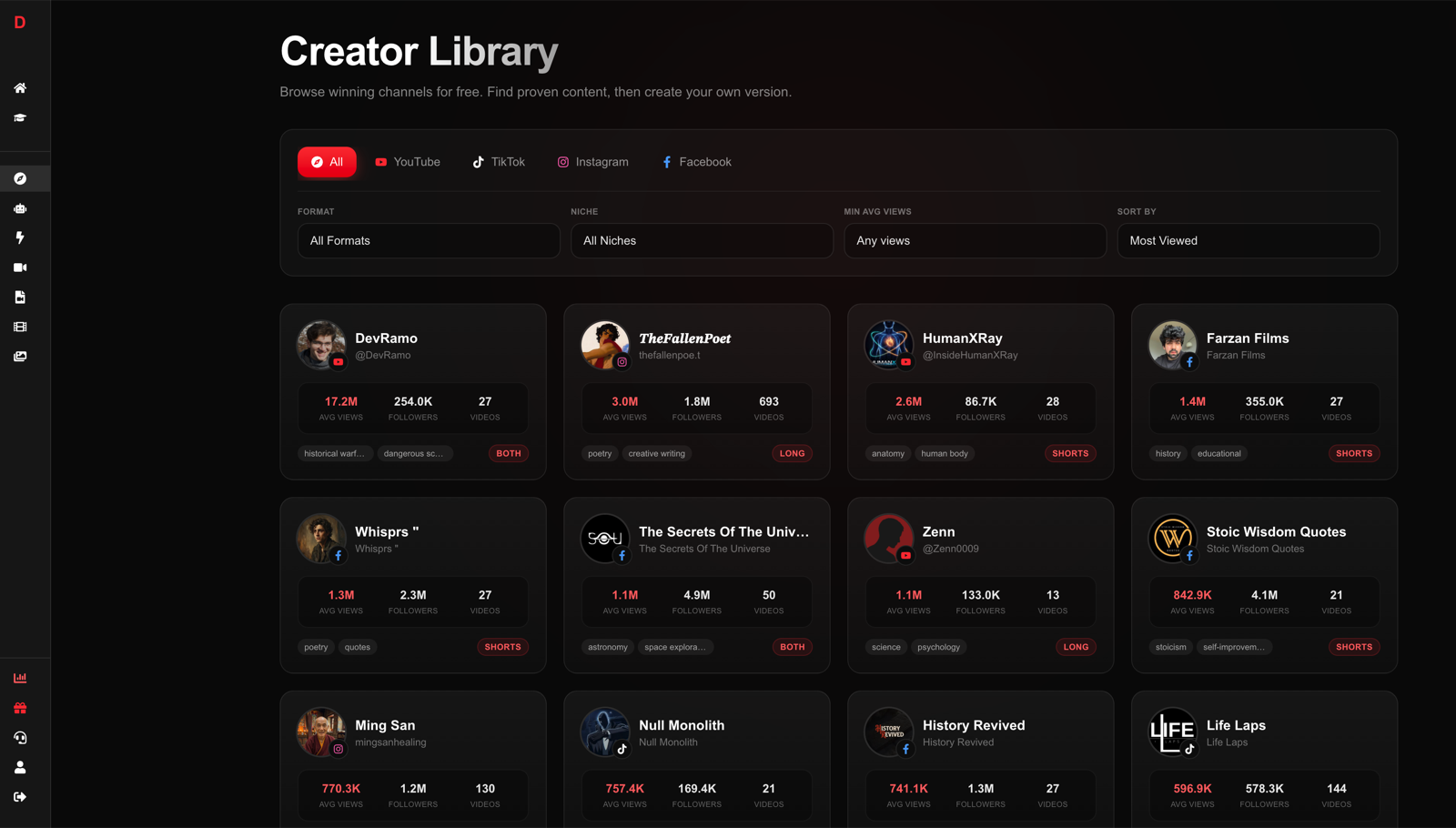
DirectAI's Creator Library makes this systematic: it tracks winning faceless channels across YouTube, TikTok, Instagram, and Facebook, lets you filter by niche, and flags viral outliers automatically. Instead of guessing which niches work, you're browsing proof.
Avoid choosing based on personal interest alone. Interest helps with consistency, but CPM and demand are what pay the bills.
Step 2: Format design
Before you make a single video, lock down the format. This means deciding:
- Length: Shorts (under 60 seconds) or long-form (8–20 minutes). Shorts get views faster but monetize lower. Long-form takes longer to grow but earns more per view. Many operators run both: Shorts to grow the audience, long-form to monetize it.
- Style: Documentary narration, listicle, explainer, story-driven, quote compilation. Pick one that fits your niche and that you can replicate consistently.
- Voice: Tone, pacing, gender. This becomes your channel's identity.
- Visual treatment: B-roll style, text overlays, captions, color palette. Viewers recognize channels by feel before they see a name.
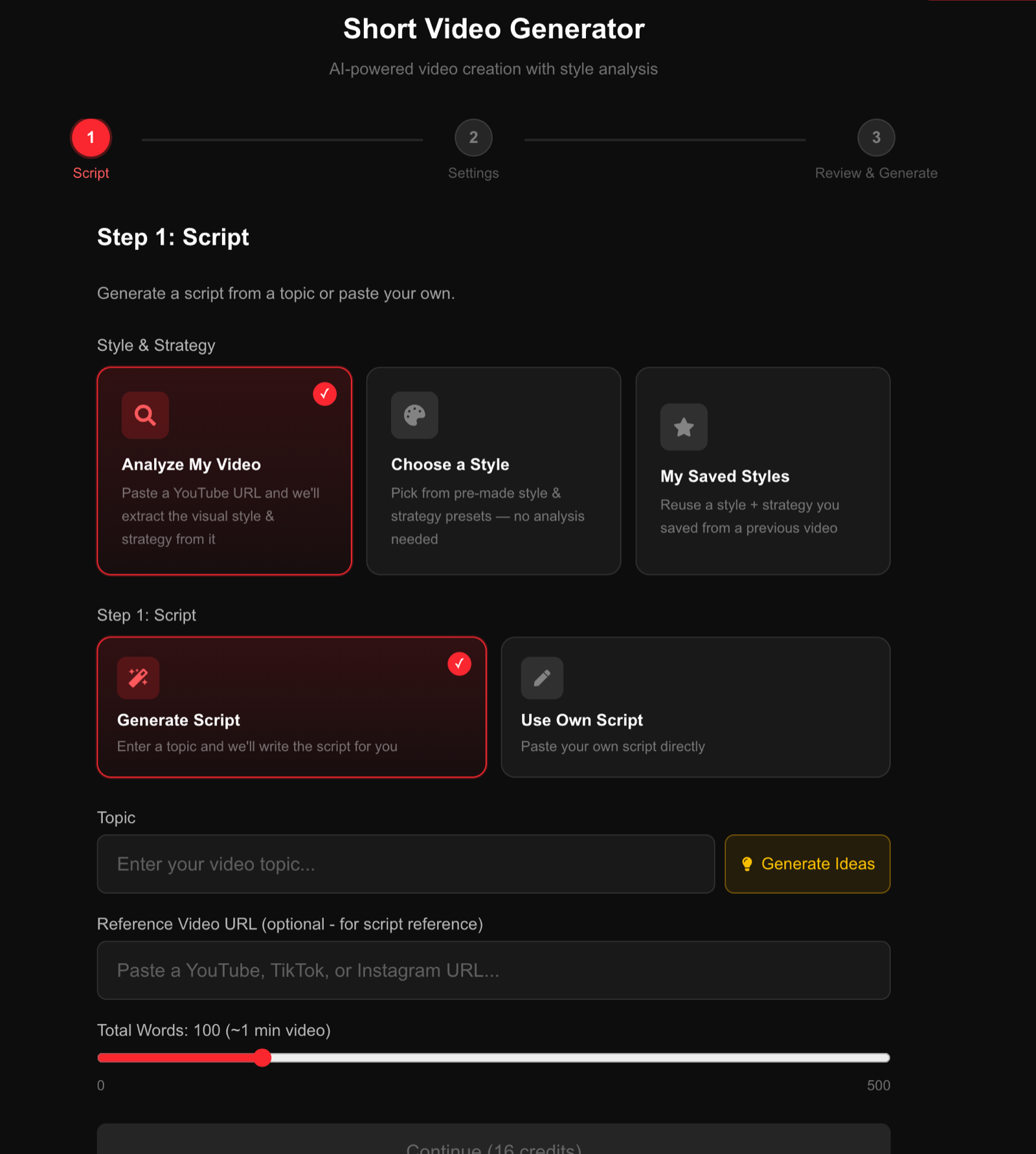
The fastest and most reliable way to lock a format is to copy one that's already working. Take a viral video in your niche, study its structure (hook length, pacing, transition style, caption placement) and build your format from that blueprint rather than inventing from scratch. DirectAI's generator lets you paste a YouTube, TikTok, or Instagram URL and automatically extracts the visual style and strategy to apply to your own topics.
Step 3: Production
The full production pipeline has five components. With the AI approach, all five run in one flow:
- Script: AI drafts a script from your topic and chosen style. For long-form, review and tighten the structure — AI scripts often need pacing adjustments and a stronger hook. For more on writing scripts that actually retain viewers, see how to write a YouTube script.
- Voiceover: Select from AI voices (DirectAI offers 30+ voices across 12 languages). Match the voice to your niche — a calm, measured voice works for documentary; something faster and more punchy works for listicles.
- Visuals: AI selects and sequences footage to match the script. Review the timeline and swap any clips that don't match the narration. This is where you spend most of your editing time — about 5–10 minutes per video.
- Captions: Auto-generated and styled. Caption placement and font affect watch time more than most operators realize — viewers on mobile often watch with sound off.
- Music: Background track selected by mood. Keep it low in the mix; it should support attention, not compete with narration.
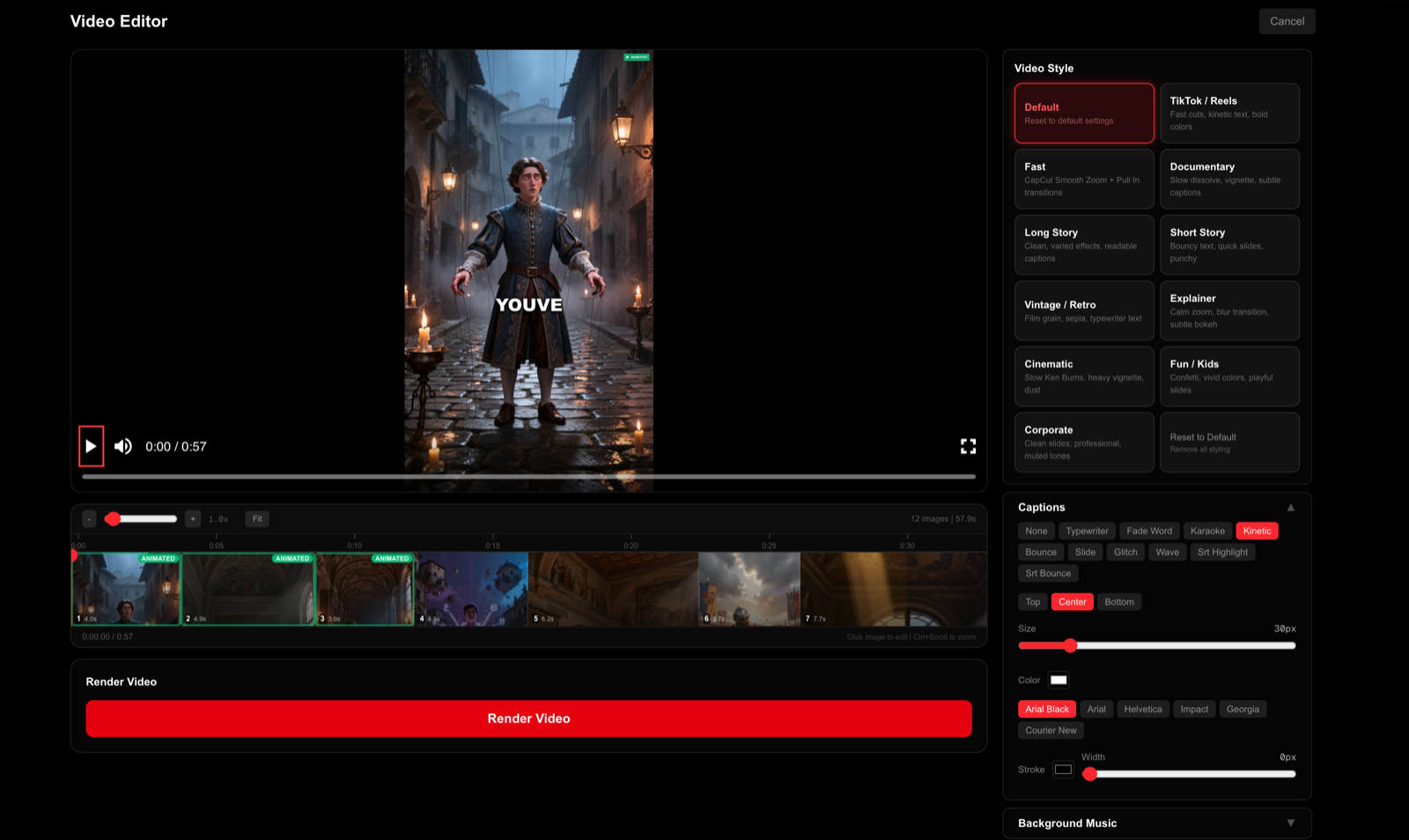
Total time per video with a clean workflow: 10–20 minutes including review and render. DirectAI's editor handles all five layers in one place:
Here's the full pipeline end to end:
Step 4: Publishing cadence
Cadence is an algorithmic input, not a virtue. YouTube uses your upload frequency to calibrate how often to test your videos with new audiences. Drop below one upload per week and the algorithm deprioritizes you. The practical targets:
- Shorts channels: daily or near-daily. Shorts are a volume game — more shots at the algorithm means faster learning.
- Long-form channels: 2–3 videos per week. Quality matters more here, but consistency still determines algorithmic priority.
Posting time matters less than most guides claim, but posting when your target audience is active improves early engagement signals — and early signals determine whether a video gets pushed further. Best time to post YouTube Shorts covers the data.
A few publishing fundamentals:
- Write your title and thumbnail before you finish the video. If you can't make a compelling title, the topic isn't clear enough.
- Keep the first 3 seconds ruthless. On Shorts, you have less than that. On long-form, 30 seconds. State the payoff, not the preamble.
- Use chapters on long-form videos. They improve retention and appear in Google search results as rich snippets.
Run the whole pipeline in one tool
DirectAI generates complete faceless videos — script, voiceover in 30+ voices, visuals, captions, and music — in about 3 minutes. No freelancer stack required.
Start your channel →Step 5: Iteration
Most operators treat iteration as optional. The ones who build profitable channels treat it as the job.
After your first 20–30 uploads, your analytics will show clear patterns:
- Which topics got pushed by the algorithm (high impressions) vs. which got clicks from impressions (high CTR)
- Which videos held viewers past 50% (retention) vs. which lost them in the first 10 seconds
- Which uploads drove subscriber spikes
The process from there:
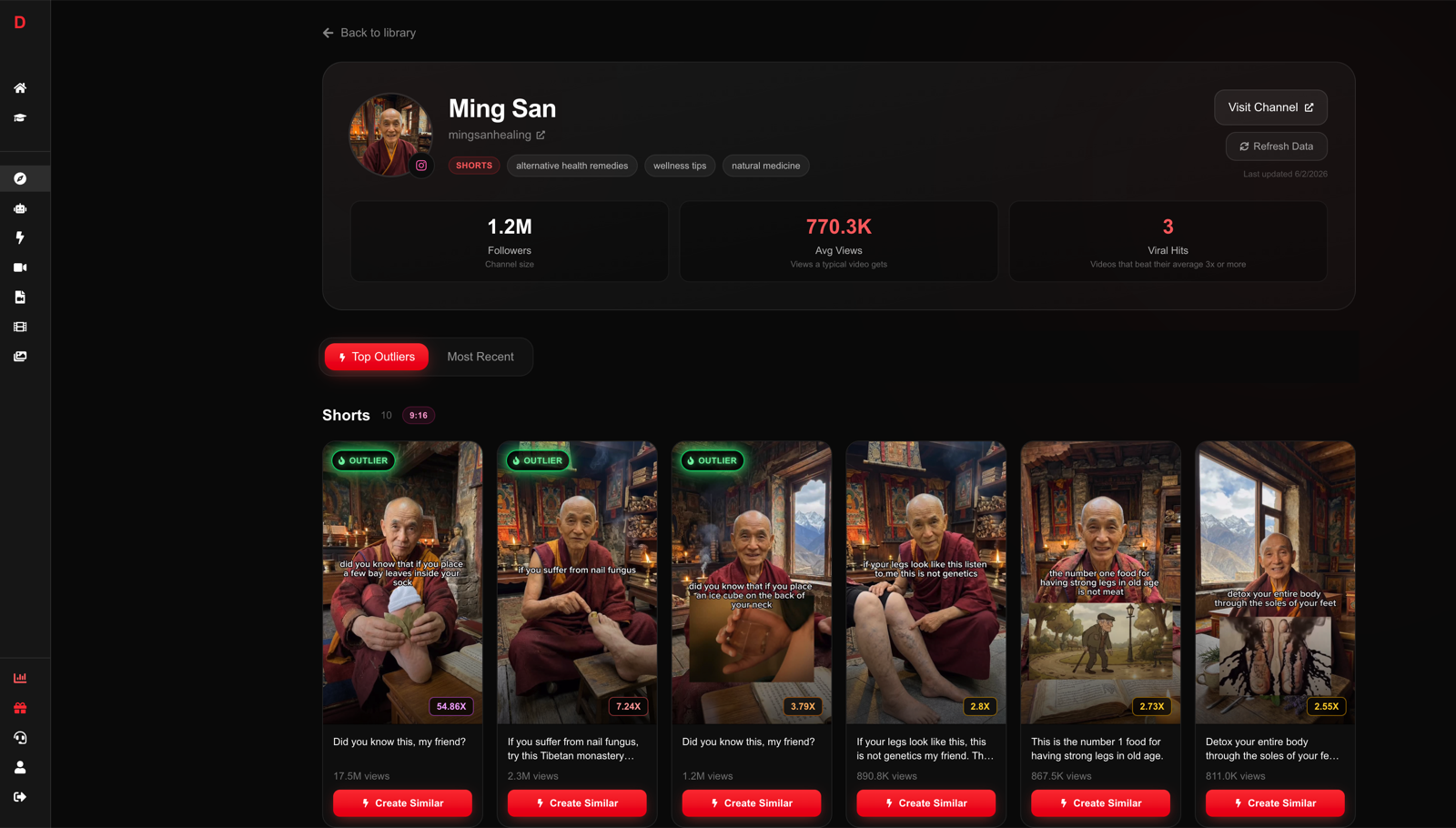
- Identify your outliers. Any video with 3x your average views is an outlier. Find the common thread — topic type, hook structure, title format, or video length.
- Make 5 more videos in that vein. Don't pivot your whole channel after one hit. Confirm the pattern.
- Kill what doesn't work. Formats or topics that consistently underperform after 5+ attempts aren't coming back. Move on.
- Add a second channel once the first is monetized. The production system you've built transfers directly. Most operators with 6+ months of experience run 2–4 channels simultaneously — each targeting a different niche or format.
The Creator Library's "Create Similar" button handles the research side of this: find a video that matches what's working for your channel, click it, and generate a new video in that style on a fresh topic.
The risks nobody puts in the sales page
- Monetization policy. YouTube demonetizes "mass-produced, repetitious" content that adds no original value. AI-assisted production is fine; lazy, unreviewed slop is not. A unique script angle and coherent visual style are what separate monetizable channels from ones that get flagged.
- The dead months. Months 1–3 typically look like failure. Low views, no revenue, occasional spikes that don't repeat. This is normal calibration. The channels that survive it are the ones that reach monetization.
- Single-channel risk. A channel can get struck, demonetized, or deprioritized in an algorithm update. Diversifying across channels and platforms — the same videos repurposed as TikToks and Reels — is how operators manage this. See YouTube Shorts vs TikTok for how the platforms differ.
- Course-seller economics. If someone's selling you a $2,000 "YouTube automation blueprint," their business is the course, not the channels. Everything teachable about this model is publicly available, and skepticism of anyone promising specific income figures is warranted.
FAQ
Is YouTube automation legit? The business model is legitimate. Thousands of channels run this way and earn real ad revenue. The illegitimate part is the way it's sold — specific income guarantees and "autopilot" framing obscure the fact that it requires consistent operator decisions, especially in the first 3–6 months.
How much money do you need to start? With the AI pipeline: roughly $50/month for a tool subscription. With freelancers: $1,500–4,000/month. The AI route is how most new operators start now, because the cost of failure is low enough to run real experiments.
How long until a channel makes money? YouTube's monetization requirements are 1,000 subscribers plus 4,000 watch hours (or 10 million Shorts views for the Shorts fund path). At consistent daily posting, most channels hit this in 2–5 months. Affiliate income, which has no threshold, can start from video one if you link relevant products in descriptions.
Can I do YouTube automation alongside a full-time job? Yes, and that's the typical profile for people starting out. With AI production taking 10–20 minutes per video, a few evenings per week can sustain a daily Shorts channel. Long-form is harder to run at that pace — budget a full day per week if you're posting 2–3 times.
What niches work best for YouTube automation in 2026? Finance, health, history, true crime, and technology consistently produce high-CPM faceless channels. The more specific the sub-niche, the less competition — "personal finance for freelancers" outperforms "personal finance" for a new channel trying to get traction. See top faceless YouTube niches for the full ranked list.